Retypee
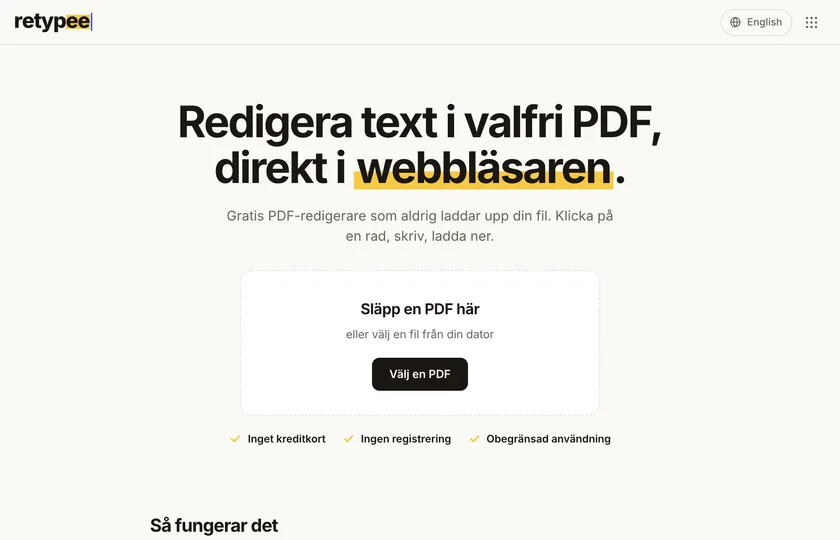
Click a line. Type. Done.
Retypee is a free PDF editor that runs entirely in your browser. Your file is never uploaded: the text is changed on your own computer, and then you download the PDF. I built both the editor and the tools around it.
 Visit site
Features
Edit every line of text
Open a PDF and every line of text becomes clickable. Click, type and change the font, size or colour, or add brand-new text anywhere on the page.
Your file never leaves your computer
Editing happens in the browser’s memory. No upload, no account and no server that sees the document, so contracts and invoices can be edited without worry.
Search and replace
Change a name, a date or an amount across the whole document at once. Retypee counts the matches, and you can undo.
The right font
The text gets a font that looks like the original, and for an exact match you can add your own .ttf or .otf file.
Images, links and forms stay
Only the text changes. Images, links and form fields carry over to the downloaded file, which also has its metadata removed.
More PDF tools
Merge, split, compress, sign, run OCR, rotate or convert to images. Every tool is free, with no sign-up.
How it works
- 01
Open
Drop your PDF on the page. Every line of text becomes clickable.
- 02
Type
Click a line and type. Change the font, size or colour, or add new text.
- 03
Download
Save the edited PDF. It goes straight to your computer.
How Retypee was built
I wanted a PDF tool I would trust with a contract, without uploading it anywhere. So I moved the whole editing engine into the browser. The result is a product of my own that is free, open source under AGPL-3.0 and available in Swedish and English.
The editing engine
PyMuPDF runs in the browser through Pyodide, so the PDF never has to leave the computer. The engine loads once and is then kept in the cache.
The editor
A fast interface in plain JavaScript where every line can be clicked, with search and replace, undo and custom fonts.
The tools around it
More than twenty PDF tools on their own pages, from merging and compressing to OCR and signing.
The search work
A page of its own for every tool in Swedish and English, with a title, description and share image, so someone searching for a PDF tool finds the right one.

Do you need a web app where everything runs on the user’s side, or help building a product of your own?
Say hiBuilt with
- Python
- Pyodide
- PyMuPDF
- JavaScript
- PostgreSQL
- Vercel
FAQ
Is my PDF uploaded anywhere?
No. Editing happens in the browser’s memory. The only thing downloaded is the PDF engine itself, from a CDN, and it is cached after the first time.
Does Retypee cost anything?
No, it is free and unlimited. No sign-up, no card and no account is needed, and every tool is free.
Can you edit scanned PDFs?
Not directly, since a scan is an image. Run OCR first and the text can be edited in the result.
Why does the edited text look slightly different?
A PDF only contains the characters used in the document. When Retypee doesn’t have the original font it picks a similar one, and for an exact match you can add your own font file.
Does the text reflow?
No, lines are edited one at a time and longer text extends to the right. Use Squeeze to fit or shorten the text.
Can you build a similar tool for me?
Get in touch. I build web apps and products of my own, and I’m happy to say what fits your idea.
Yellow like a highlighter
Dark text on warm paper and a yellow highlight, like underlining the thing you want to change. The tool should feel as simple as a pencil.


